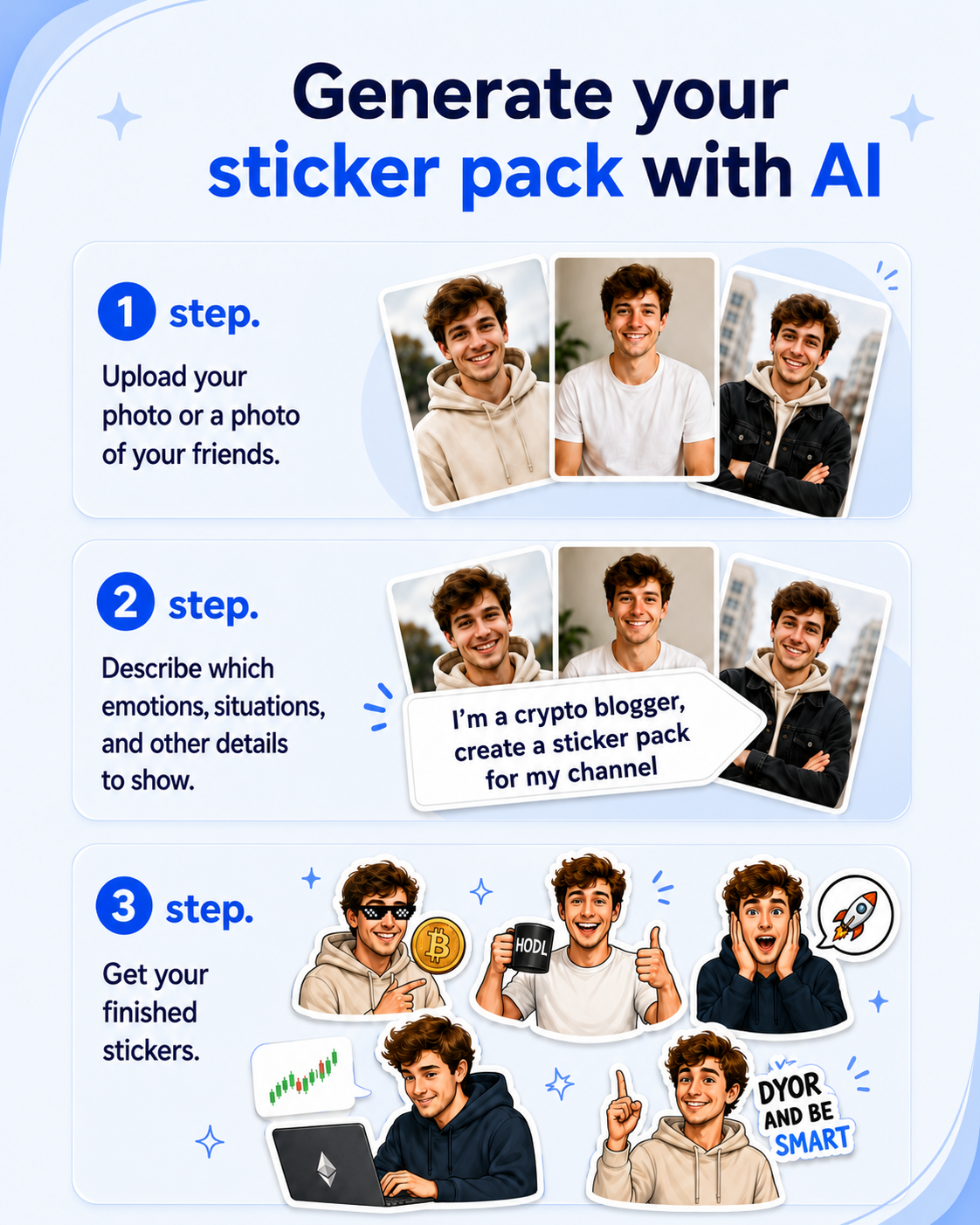
Want to make Telegram stickers with your face, pet or an original character? An AI sticker generator can turn photos and a text description into a complete sticker pack with different emotions, actions and everyday situations.
Create an AI sticker pack
Add reference images, describe the character and get 16 sticker ideas in one consistent style.
Open StickerPenHow to create stickers with an AI generator
StickerPen takes you through several stages: adding references, describing the idea, preparing scenarios, generating images and publishing the pack.
You can create up to 16 stickers in one consistent style. Describe the main character, the visual direction, emotions, situations and important details. Reference images are optional: you can create the entire pack from a text description.
Step 1. Add photos or other reference images
References are images the AI uses as a guide when creating stickers. StickerPen accepts up to 10 reference images.
Use photos from different angles, pictures of friends or pets, character drawings, examples of a preferred art style, and images of clothing, accessories or other important details.
If you want cartoon stickers based on your face, choose photos where your appearance and distinctive features are clearly visible. For a cat or another pet, use several photos with different expressions and poses.
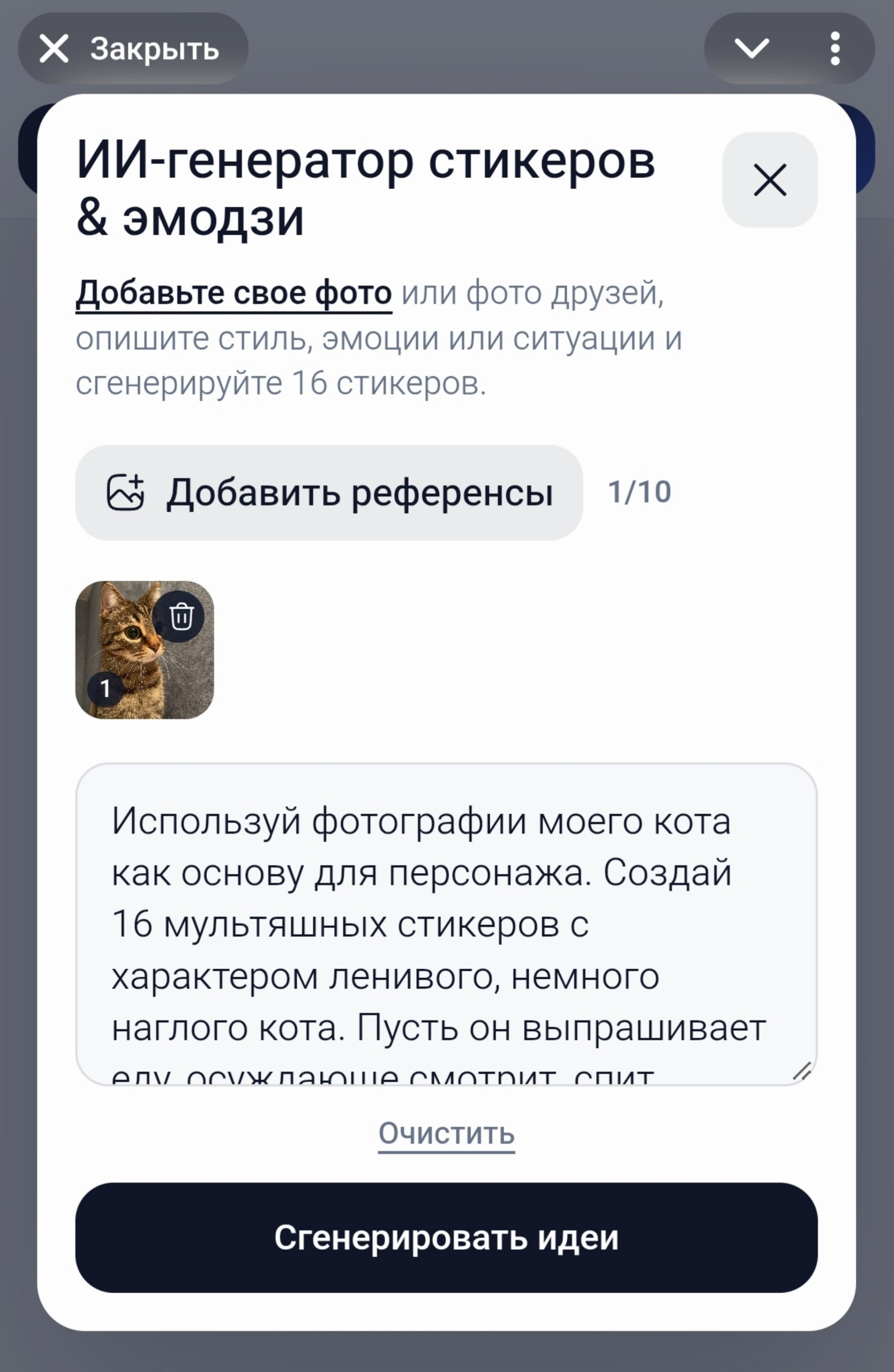
Step 2. Write a prompt for the stickers
A prompt is an instruction for the AI. Describe the main character, the visual style you like and the situations you want the stickers to cover.
For example:
I am a programmer who works from home, drinks coffee all the time and sometimes stays at the computer until late at night. I want a sticker pack with my face in a cartoon style and slightly exaggerated emotions. Use bright colors, expressive facial expressions, funny work situations and computer humor. Add funny captions to some stickers: “Is it a bug or a feature?”, “It works!” and “I fixed everything”.
You can choose almost any visual style: cartoon, caricature, anime, comic, 3D character, minimalist illustration or a hand-drawn sticker with a white outline.
You can specify the exact text you want to see on the stickers in the prompt. These can be favorite phrases, memes, short replies or work-related jokes. The more precisely you describe the character and context, the more useful the suggested scenarios will be.
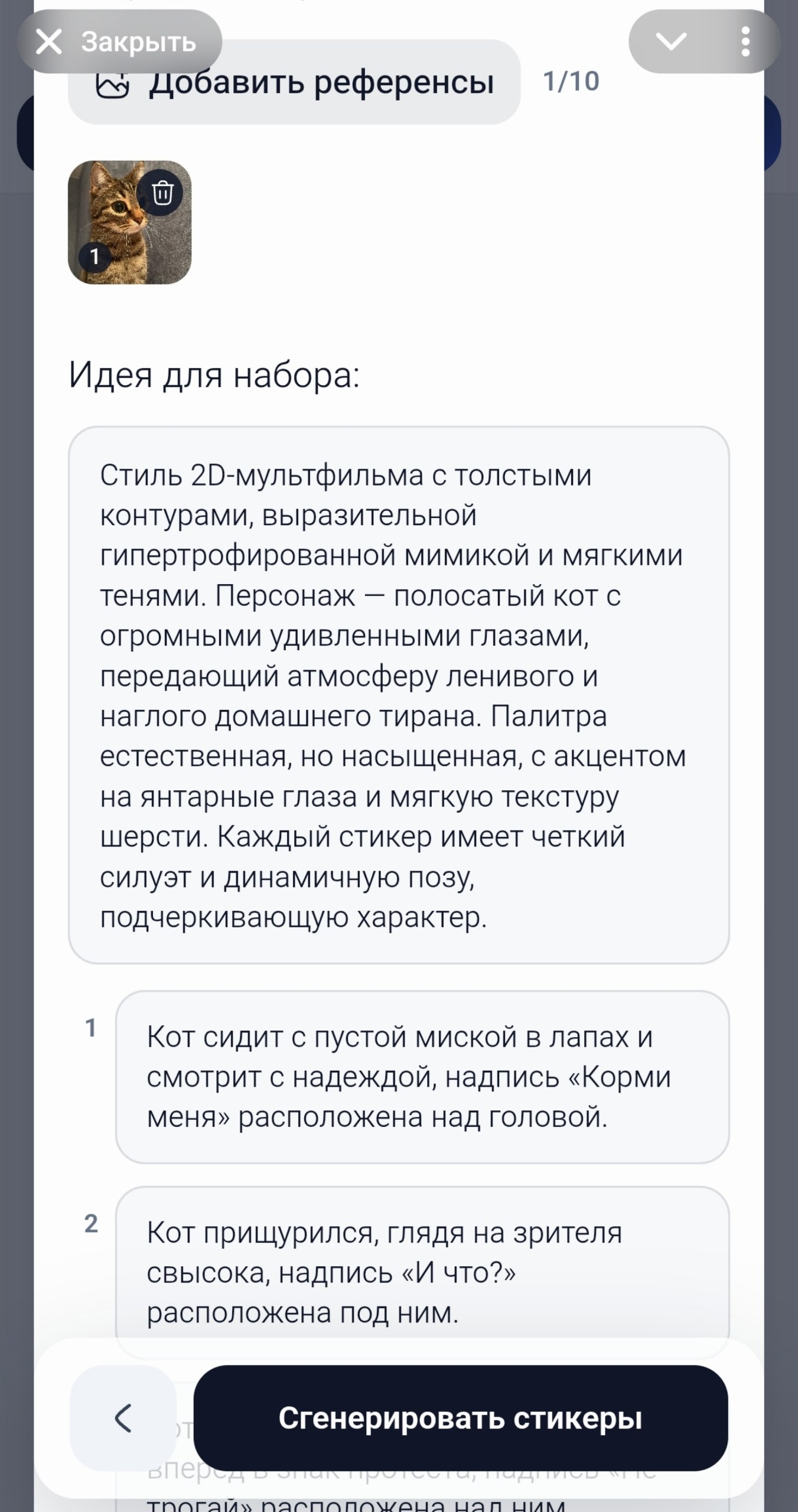
Step 3. Edit 16 sticker ideas
After reviewing the references and prompt, the AI suggests an overall pack style and 16 individual scenarios. Each scenario can describe an action, emotion, pose, surroundings and a caption when one is needed.
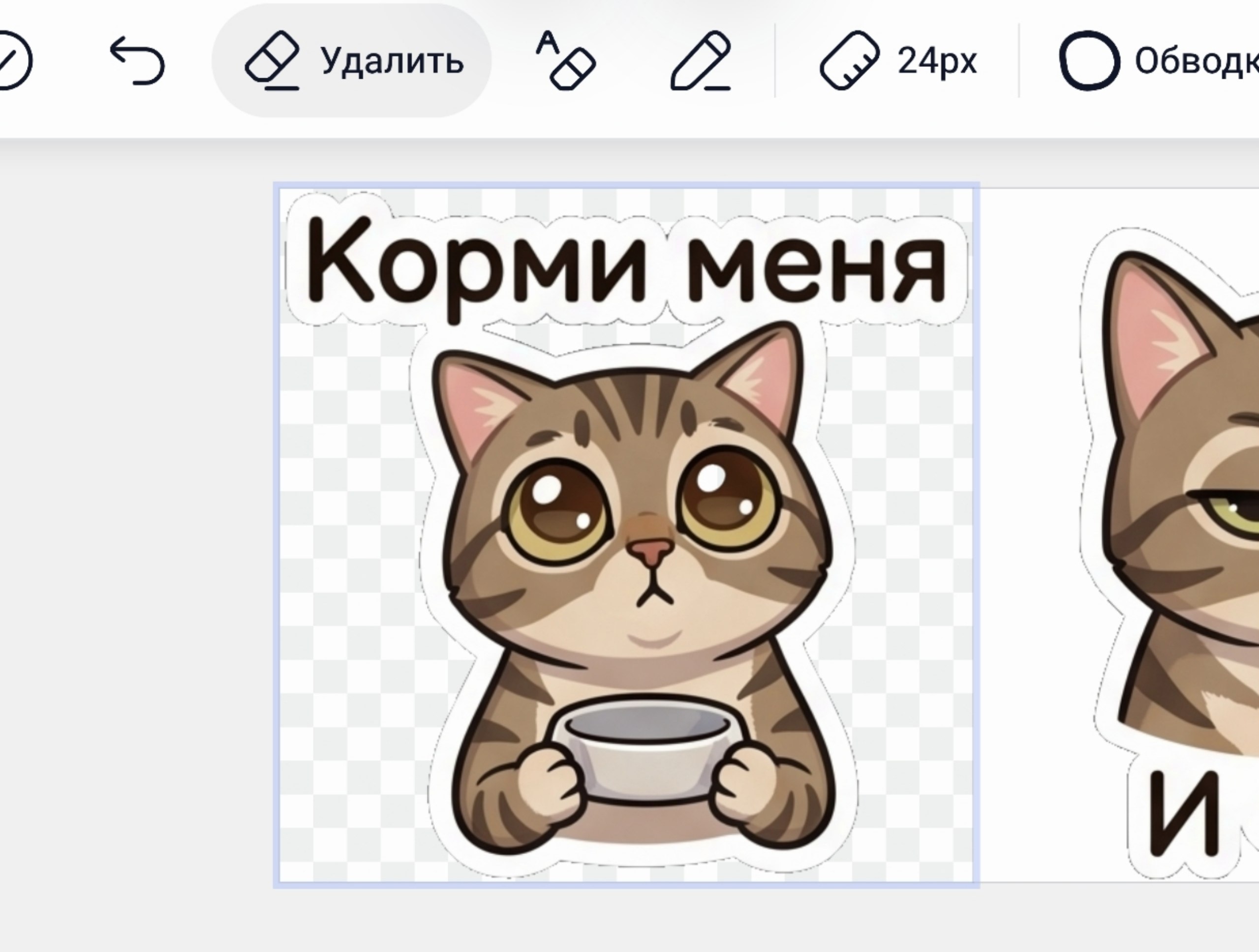
For a programmer, the ideas might include working code with the caption “It works!”, falling asleep at a laptop, hugging a coffee cup or reacting to an error. For a cat, they might show it asking for food, giving a judgmental look, sleeping, being surprised or playing.
Review and edit all ideas before generating the images: replace a scenario, clarify an emotion, add or correct a caption and adjust the overall style of the pack.
Step 4. Generate and edit the stickers
Start generation when the ideas are ready. The AI will create images based on the selected scenarios, references and shared style.
The result is a pack with one consistent character and different emotions and situations. Open the generated images in the StickerPen editor for final adjustments before publishing.
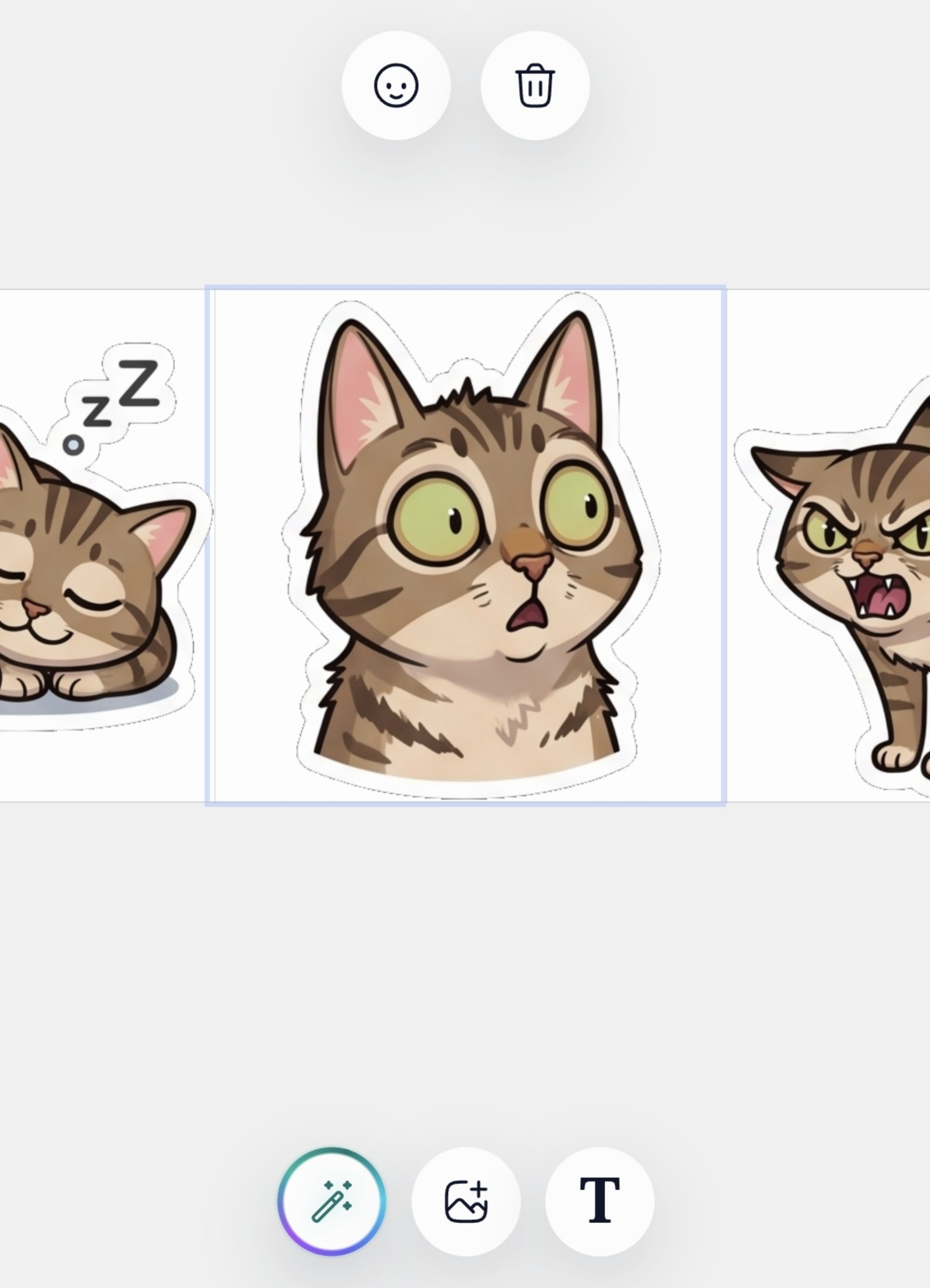
If the AI changes a phrase or the caption is not accurate, add the text manually in the editor. You can correct the wording and change the size or position of the text.
Step 5. Prepare the pack for Telegram
When the stickers are ready, open the project menu and choose what you want to create: a regular sticker pack for large images or a custom emoji pack for reactions and use inside text.
StickerPen automatically prepares the images for Telegram. Then click publish and open the finished pack in the messenger.
Prompt examples for an AI sticker generator
Stickers from your face
Create 16 funny stickers from my photos. Use a cartoon caricature style with a large head and expressive emotions. Keep my recognizable facial features. Create everyday reactions: joy, surprise, embarrassment, anger, gratitude, tiredness and more. Add short captions: “Hello!”, “Seriously?”, “Thanks!” and “I’m shocked”.
Stickers for a mom
I am the mother of a small child. I want funny stickers about motherhood: sleepless nights, coffee, walks, toys, the joy of a child’s first achievements and the wish to get some rest. Use a cute cartoon style, soft colors and funny facial expressions. Include the phrases “I want to sleep”, “Mom is tired” and “Where is my coffee?”.
Stickers for a chef
Create a sticker pack with my face as a chef. Use a bright caricature style. Come up with 16 funny kitchen situations: oversalting soup, being proud of a dish, waiting for an order, tasting food, getting angry at burnt meat and celebrating a successful recipe. Add the captions “Delicious!”, “Chef at work” and “It’s a masterpiece!”.
Stickers with a cat
Use my cat photos as the character reference. Create 16 cartoon stickers of a lazy, slightly cheeky cat. Show it begging for food, giving a judgmental look, sleeping, being surprised, getting angry and being happy. Add the captions “Feed me”, “So what?”, “Don’t touch me” and “Meow” to some stickers.
Final result: a complete pack without complicated image processing
StickerPen can create a complete set of 16 stickers in one consistent style. The character keeps the same overall look, while every sticker gets its own emotion, action or caption.
The main advantage is that you do not need to prepare dozens of images manually, crop them, resize them, convert them to one format or upload every sticker to Telegram separately.
Everything from the first ideas to publishing your own sticker pack happens in one service.
Try creating your own sticker pack
Add references, write a prompt and refine the ideas before generating the images.
Create stickers with AI