Photo stickers
Create a Telegram Sticker from a Photo
Turn a photo into a Telegram sticker with AI or edit it manually in StickerPen, then publish the finished pack in one flow.
Choose an AI or manual workflow
Start with any clear portrait, pet photo, product image or illustration. StickerPen lets you generate a complete visual concept with AI or keep the original photo and edit it manually.
- AI generation: add reference photos, describe the character and generate nine sticker ideas in one style.
- Manual editing: remove the background, crop the subject and combine it with text or shapes.
1. Add a photo or reference
Use a sharp image with the subject clearly visible. Several angles and expressions help when you generate a full pack with AI.
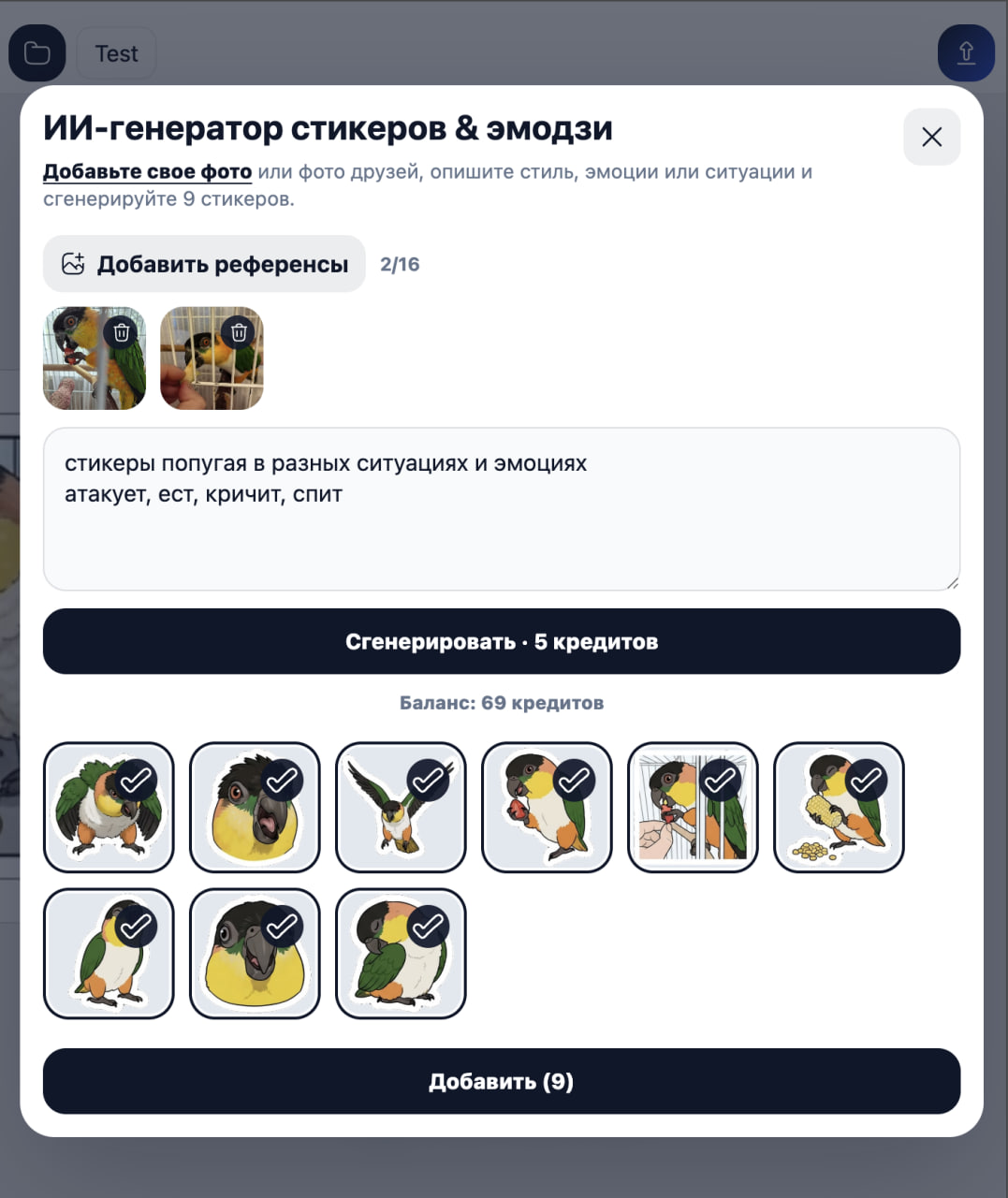
2. Prepare the artwork
Remove distracting background areas, adjust the crop and keep enough margin around the subject. Use the mask tools to restore hair, fur or other fine details.
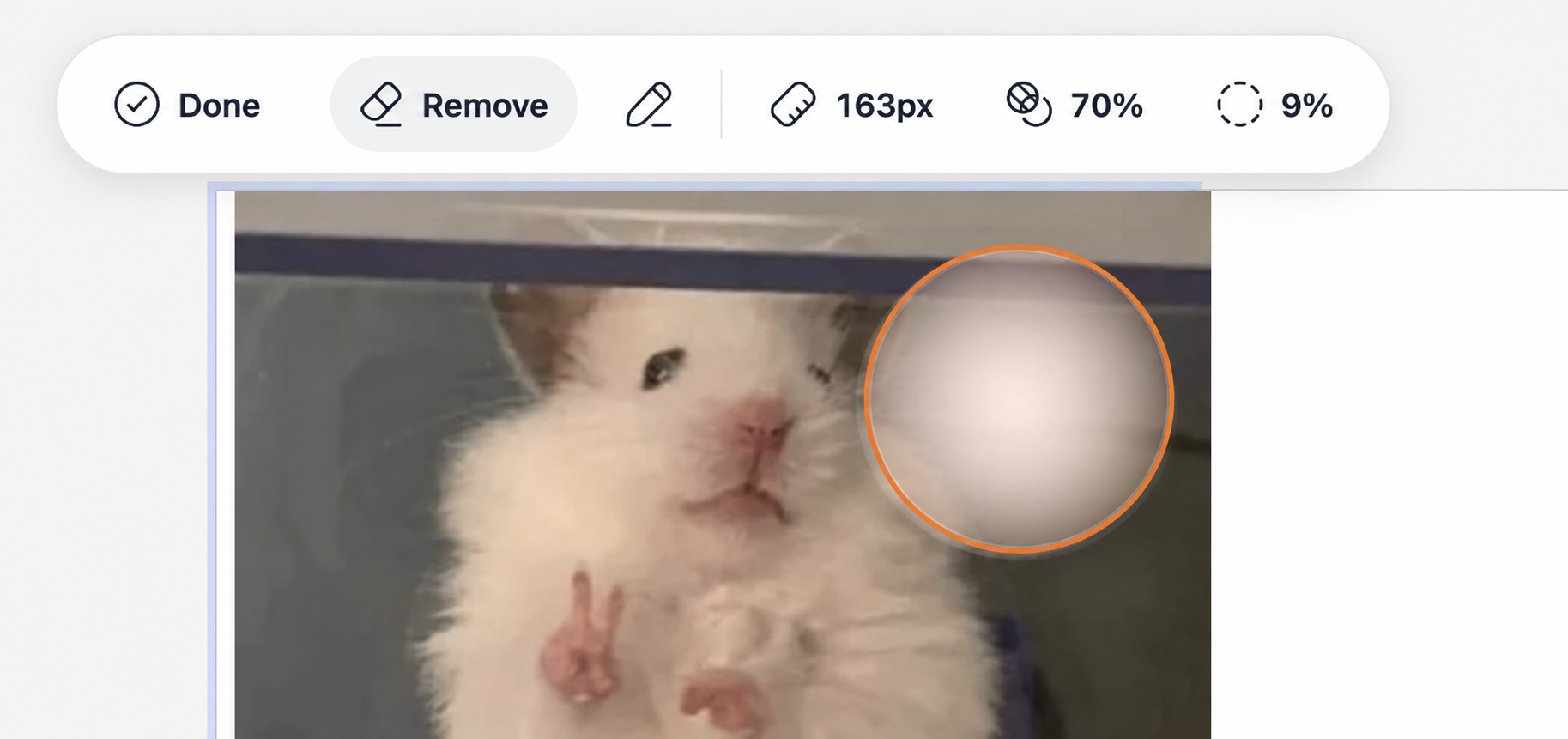
3. Build and publish the pack
Add the finished image to a slot, assign matching emoji and repeat the process for the remaining reactions. StickerPen prepares the dimensions and file format when you publish.
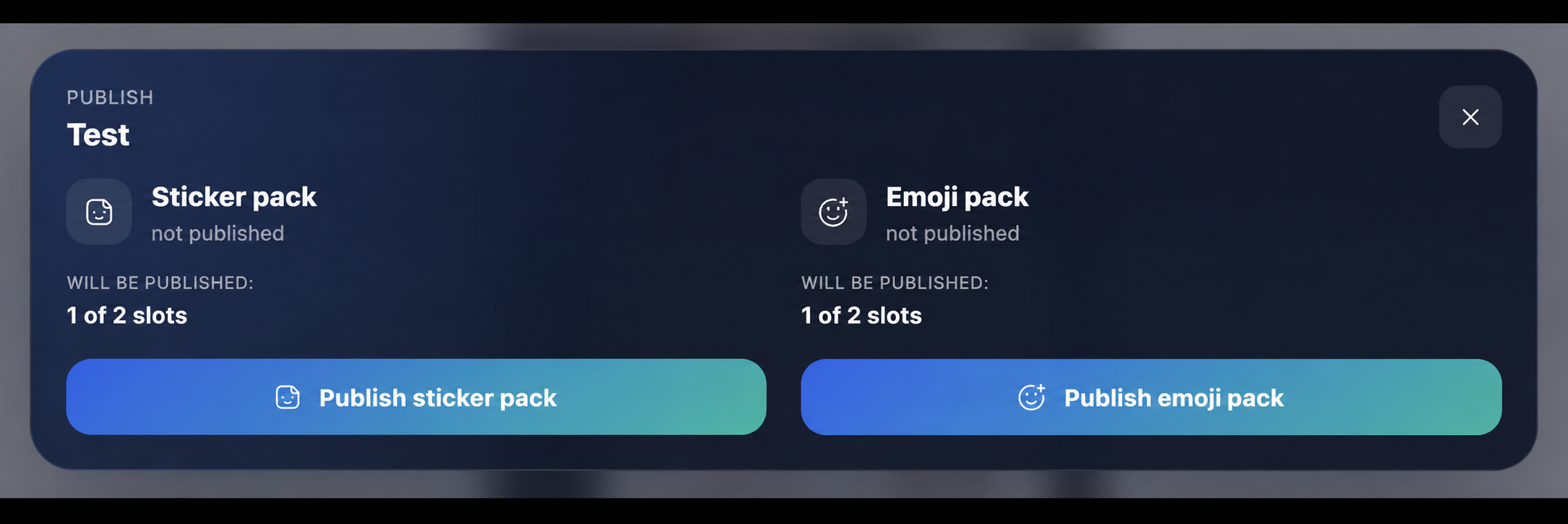
What makes a good photo sticker?
- A recognizable face, object or gesture.
- A clean silhouette that works on light and dark chats.
- Large details and short, readable captions.
- Consistent scale and outlines across the pack.
Create your own pack
Add photos or videos, prepare the artwork and publish the finished pack to Telegram.